Measure the drawings. Price the job. Send the quote.

TakeoffHQ is a browser-based takeoff and quoting tool. Drop in tender PDFs, measure with smart tools, price with your own rates library, and send a quotation the same day — try the full tool below, nothing to install.

Runs in your browser · Data stored in Australia · The demo saves nothing — no card, no sign-up.
takeoffhq.com.au / live demo ⤢ open full screen

Launch the live demo

The complete tool on a sample drawing set, with a step-by-step tutorial — snap, inference, symbol counting, auto walls & rooms, and the quote at the end.

📍 Count📏 Length▰ Area ✨ Count by symbol▤ Auto walls ▦ Auto rooms⧉ Compare revs 💲 Live quote

Everything between the drawings and the number

One tool from the tender set landing in your inbox to the quote going back out.

📐

Smart takeoff

Snap to wall centrelines, edges and corners. Inference off your own marks, ⇧ 45° locks, vertex editing, copy-drag with typed distances and ×N repeats.

Count by symbol

Box one light fitting or GPO and the engine finds every match on the sheet — rotations and scales included — with a vetting pass before anything lands.

Auto walls & rooms BETA

One click measures every wall run. Drag a region and every room inside is detected and measured, with a sensitivity slider and join-by-drawing-a-line.

🗂

Docs register

Every drawing classified by discipline, revision chains across tender issues, and ⧉ overlay compares that show exactly what changed — variations found in seconds.

💲

A quote that builds itself

Quantities stay live-linked to the takeoff until you issue. After that, every change is itemised automatically as a variation. Rates come from your own library.

Your trades, your templates

A full trade breakdown with item templates and toolsets — including true-size electrical symbols with spacing and grid arrays — one tap away on the Space bar.

🧊

Takeoff → 3D

The model builds itself out of what you already measured — there is no modelling step. Walls stand up, openings cut through, services run at their real heights. In the base tool.

Your takeoff is already a 3D model

You measured it once. Nothing gets modelled twice — the heights, thicknesses and levels you typed while taking off are what stands the building up.

It builds from the quantities, not a separate model Heights, thicknesses, levels and AFFL are fields you already fill in while measuring. The 3D reads the same numbers the quote does — so it can't disagree with your price.
⚡ Clash detection across the trades you pick Flag where services, structure and joinery want the same space — oriented boxes, with a 20 mm tolerance so touching isn't reported as clashing. Click a hit and it flies you to it.
🧩 Combine the whole set into one model Align drawings on a shared origin and the levels stack into one building. Click any element and it takes you back to its own drawing and its own takeoff item.
Share it with the client, in a browser The read-only client view carries the 3D as well — no plugin, no software, no licence. They spin the building; the quantities stay yours unless you choose to show them.

All of it is in the base subscription — there's nothing extra to buy to get the 3D.

How it works

Drop in the tender set

Multi-PDF upload, automatic scale detection, title-block reading, and a classify walkthrough that builds your drawing register as the set loads.

Measure with the smart tools

Count, length, area, symbol scan, auto walls and rooms — everything lands under takeoff items, per trade, with live totals as you click.

Issue the quote

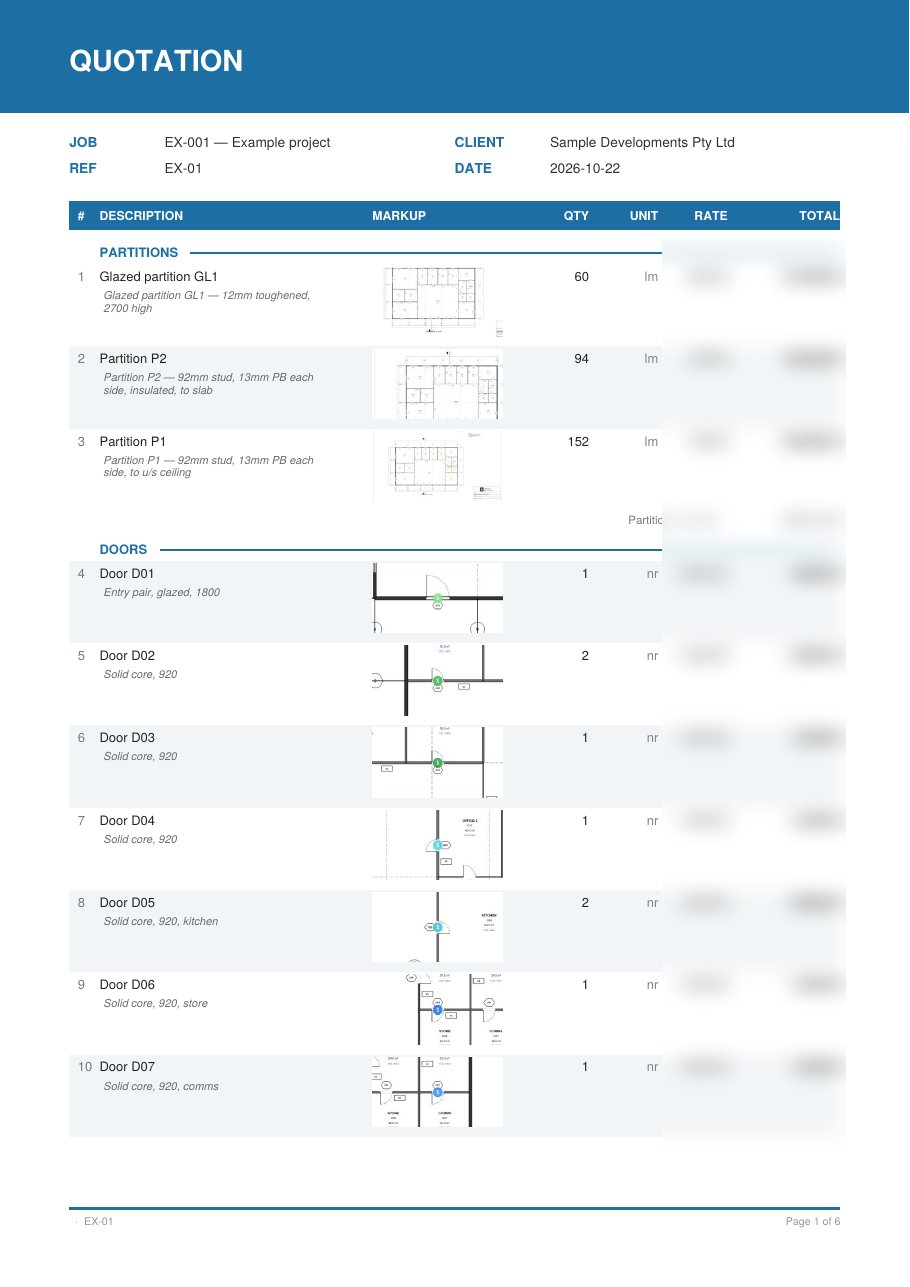
Pull quantities once — they stay in sync. Attach rates, set your margin, export a styled PDF. Drawing revisions after issue become variation lines automatically.

Ready for takeoff?

TakeoffHQ is in a closed beta testing period — we're bringing people on in small groups while we polish the tool with real jobs. Ask for a spot and we'll be in touch.

Request beta access →